I had my Claude Code write instructions on how to host images on imgbb, we want to get to see some pictures from out west.
How to host an image on ImgBB from your phone and get the BBCode link
Free, no account needed. Use this when you want to put a picture in a post on a BBCode board.
Note: the screenshots were taken on a desktop browser. On a phone the page is laid out in one column, but the buttons and wording are the same.
What you need
- A phone browser (Safari, Chrome, Firefox, etc.)
- The picture on your phone (or take a new one)
Step 1: Open ImgBB
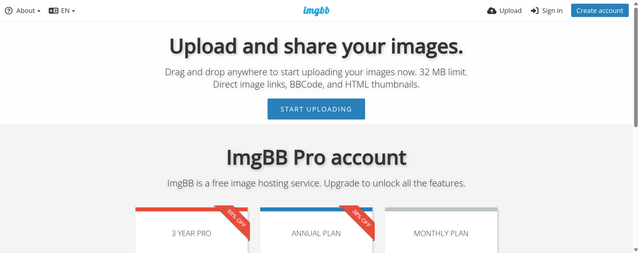
Go to
https://imgbb.com. Tap
START UPLOADING.
 Step 2: Choose your picture
Your phone will offer: Photo Library, Take Photo or Video, or Choose File. Pick the image (or take one with the camera). You can select several at once.
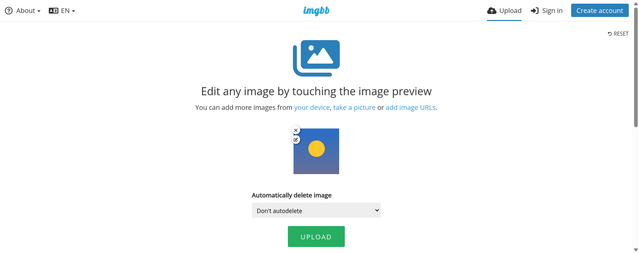
The picture appears as a preview. Tap the
x on it to remove it, or tap the preview to edit/crop.
Leave "Automatically delete image" on
Don't autodelete unless you want the picture to expire.
 Step 3: Tap UPLOAD
Scroll down a little and tap the green
UPLOAD button. Wait for the progress bar to finish.
Step 4: Upload complete
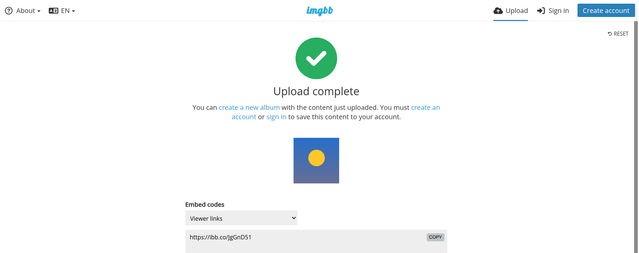
You will see a green check mark and "Upload complete". Scroll down to the
Embed codes box. It shows
Viewer links by default, which is
not what you want for a BBS.
 Step 5: Switch to BBCode
Tap the
Embed codes drop-down and choose one of:
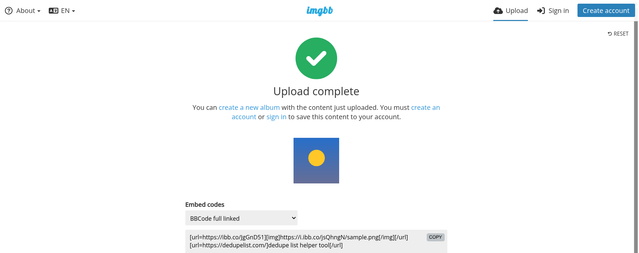
- BBCode full linked - the full-size image, clickable. Best for screenshots.
- BBCode thumbnail linked - a small thumbnail that links to the full image. Best for big pictures or galleries.
The box now holds your BBCode. Tap
COPY (or press and hold in the box, Select All, Copy).
 Step 6: Clean up the code
The copied code looks like this:
Code:
[url=https://ibb.co/XXXXXXX][img]https://i.ibb.co/YYYYYYY/photo.png[/img][/url]

[url=https://example.com/]some advertising text[/url]
ImgBB may add a second line of advertising link.
Delete that second line before posting. You only need the first line.
Step 7: Paste into your post
Open your BBS post editor, long-press in the text box, tap Paste, and submit. Do not use the "Insert image" button, since the code is already complete. If you want only the picture without a click-through, use just the
part.
Tips
- Without an account, ImgBB limits file size to 32 MB, and you cannot manage the uploads later. Save the BBCode somewhere (notes app) in case you need it again.
- Uploading the same file twice gives you the same link.
- Only upload pictures you have the right to share. Uploads are public to anyone with the link.